
Type the address in the quick search bar and select the tenancy.
Alternatively go to the property > tenancies > click on the tenancy.
Once the tenancy profile is open go to Manage End Notices on the left hand ladder
Find the issued notice > actions > rescind
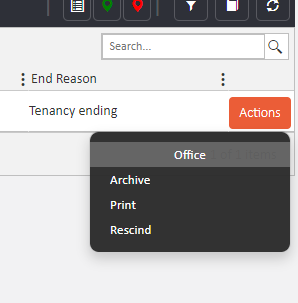
The system will require a reason to complete the action, so pop that into the filed and click Rescind again.
Comments
0 comments
Article is closed for comments.