
Useful plugins:
Free download - Tenants moving in booklet
You will mark a property as 'Let Agreed' when an applicant has agreed to accept a suitable property to live in. At this point you may opt to do things such as completing a credit check on the applicant. If the instruction was advertised, this will now show on the portals as Let Agreed - however you will need to let the support team know if you want this turned on or off.
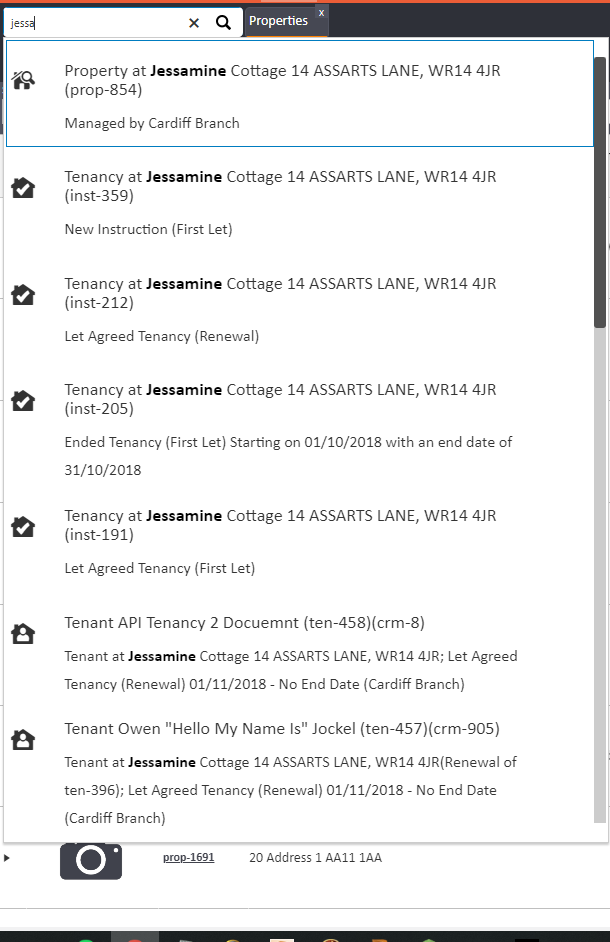
To mark your property as 'Let Agreed' you must first search for your property in the quick search bar.
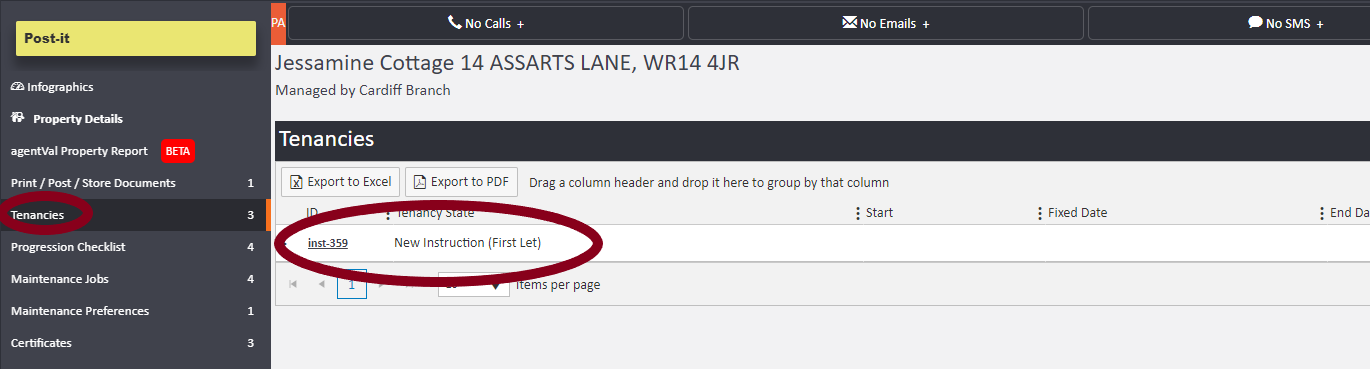
Click into your Tenancies option on the left hand side, displaying any instruction or tenancies related to the property in centre page. Click onto the instruction in question, as shown with the lower arrow in the image below.
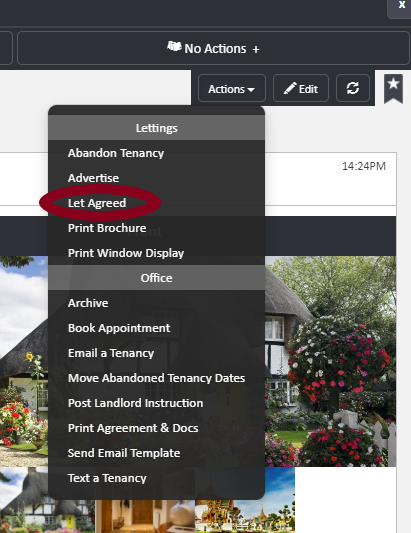
You can then mark the property as 'Let Agreed' by selecting 'Actions' in the right hand corner and clicking on "Let Agreed'.
You will now see in the ladder on the left hand side of the screen that there is a new section called 'Tenants' and the status of the property has changed to 'Let Agreed'.
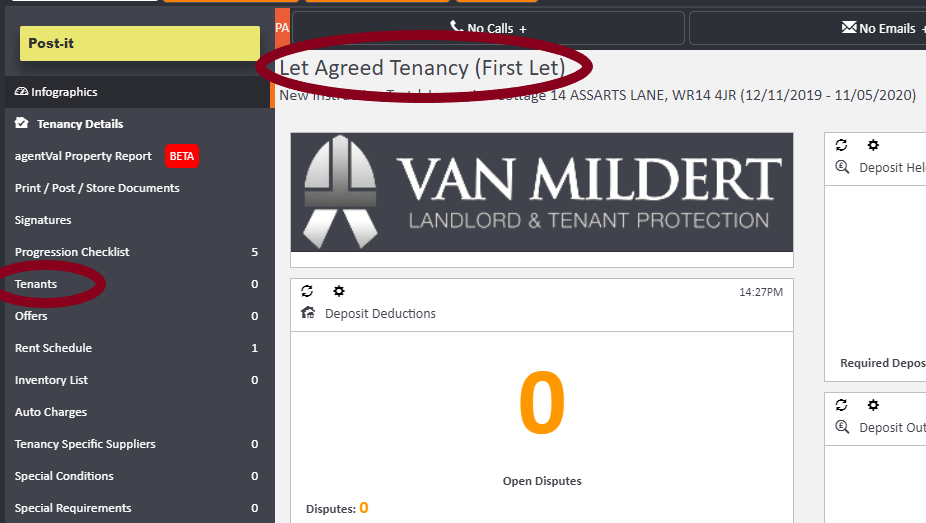
To add a tenant, click onto 'Tenants' in the left hand ladder.
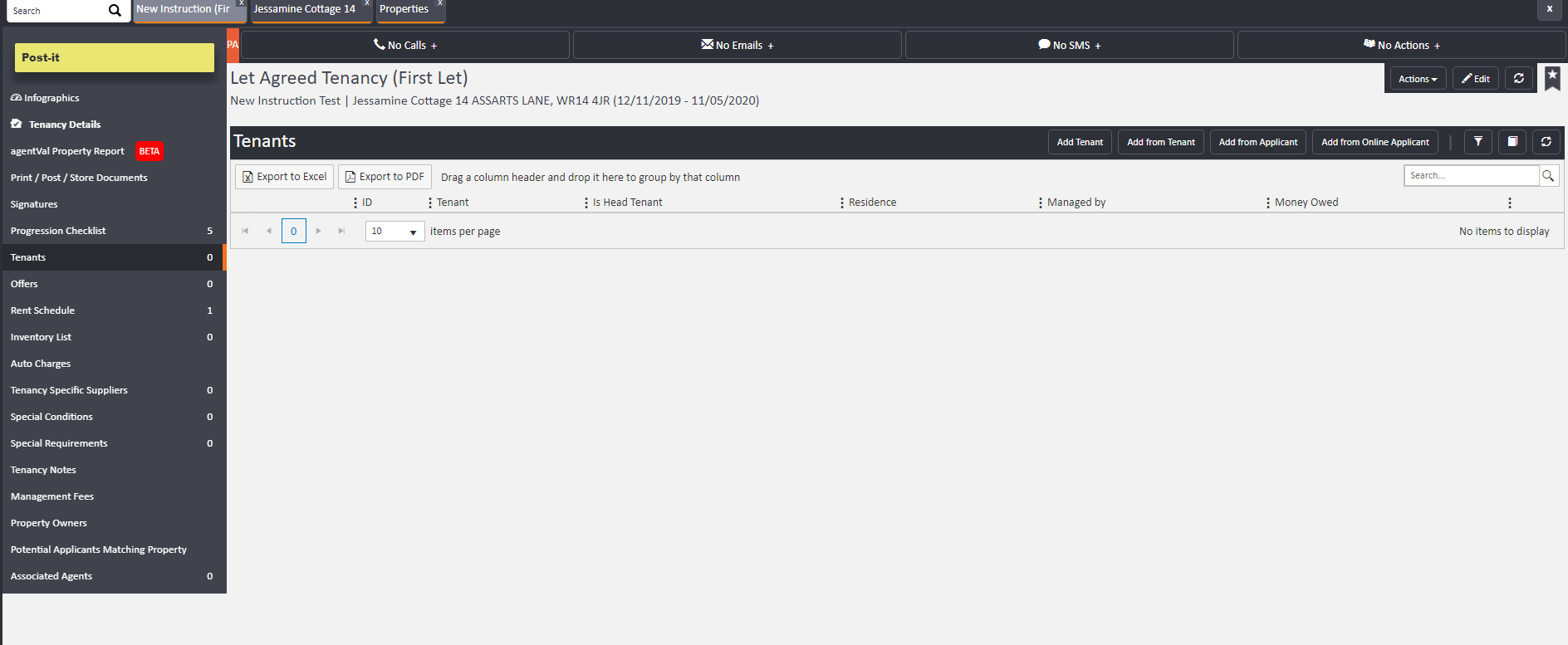
Along the top right hand side of the Tenants section, you will have different options for adding a tenant, dependent on whether they are an applicant, existing tenant or a new person you have yet to add onto AgentOS.

If you have already added the potential tenant as an applicant to the system, then you need to select 'Add from Applicant'.
This will then bring up the Applicant search field. You then need to type your applicants name into the box.

You then need to click 'add from applicant' to save your changes. Once you have done this, the system will take you to the Tenant screen.
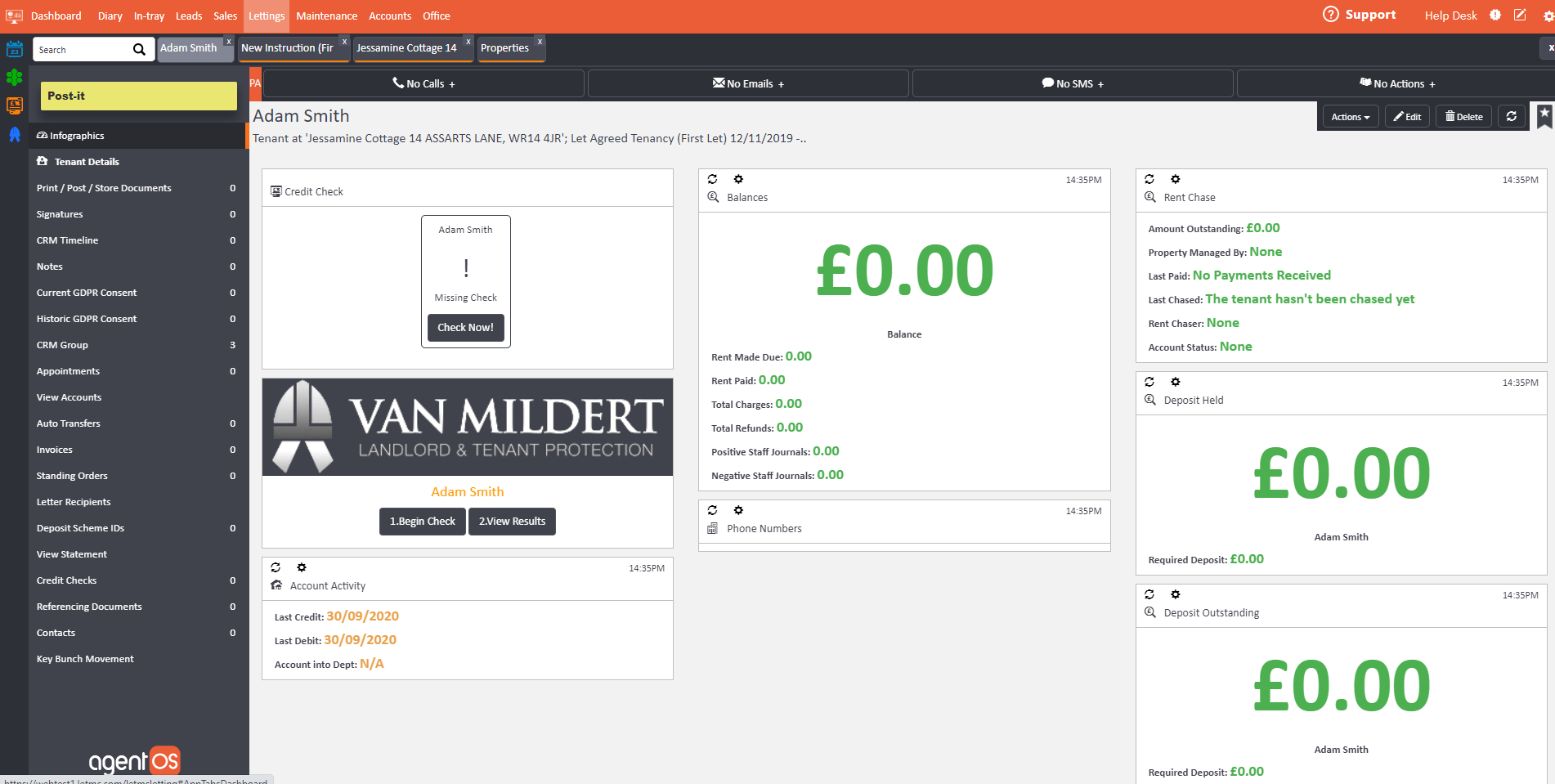
Here you can do any credit checking/referencing. There are two options in the built in to the system for:
Credit checking
Van Mildert
Credit check
You will find these on the front page infographics screen of the applicant.

The 'Credit check' function gives you a general credit score on the applicant. It will also source any CCJ's or defaults.
Van Mildert will give you a full report on the applicant. You will need an account with them before being able to use their facility through AgentOS so please contact them directly via https://www.vanmildert.net for prices. Their checks will include a full credit reference, employment and income details. It will also check previous addresses, landlords and conduct fraud checks.
*Please note that there are charges for these services, please contact us for more information*
Comments
0 comments
Please sign in to leave a comment.