
*Did you know you can send agreements digitally and have them returned signed by all parties of the tenancy? Click here for more information about e-signatures through agentOS*
Creating the Agreement
When you are ready to generate the Tenancy agreement you will need to be in the tenant screen.
You will be able to to this by typing "print agreement" and either the tenants name or the property in the quick search bar.
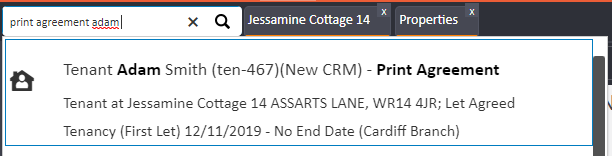
You will then have the option of choosing any additional document's you'd like to print, for example the guarantor copy or a STO form.

You can carry out the same process with posting/emailing the agreement, you just need to search email/ post rather than print.
Comments
0 comments
Please sign in to leave a comment.