
If you would like to contact all tenants living in a property, you have the option to Email a Tenancy as a whole by doing the following:
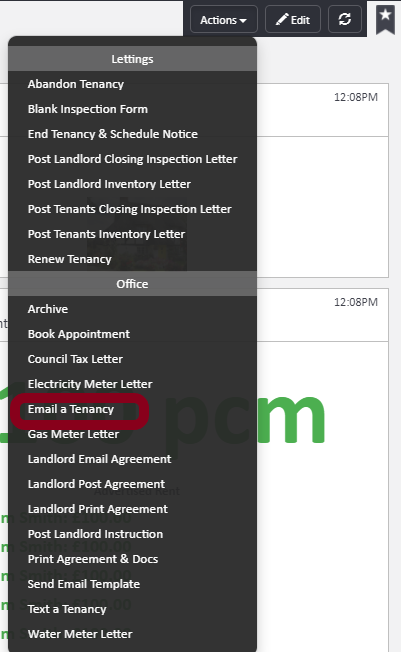
Within the tenancy profile go to Actions in the right hand corner and Email a Tenancy
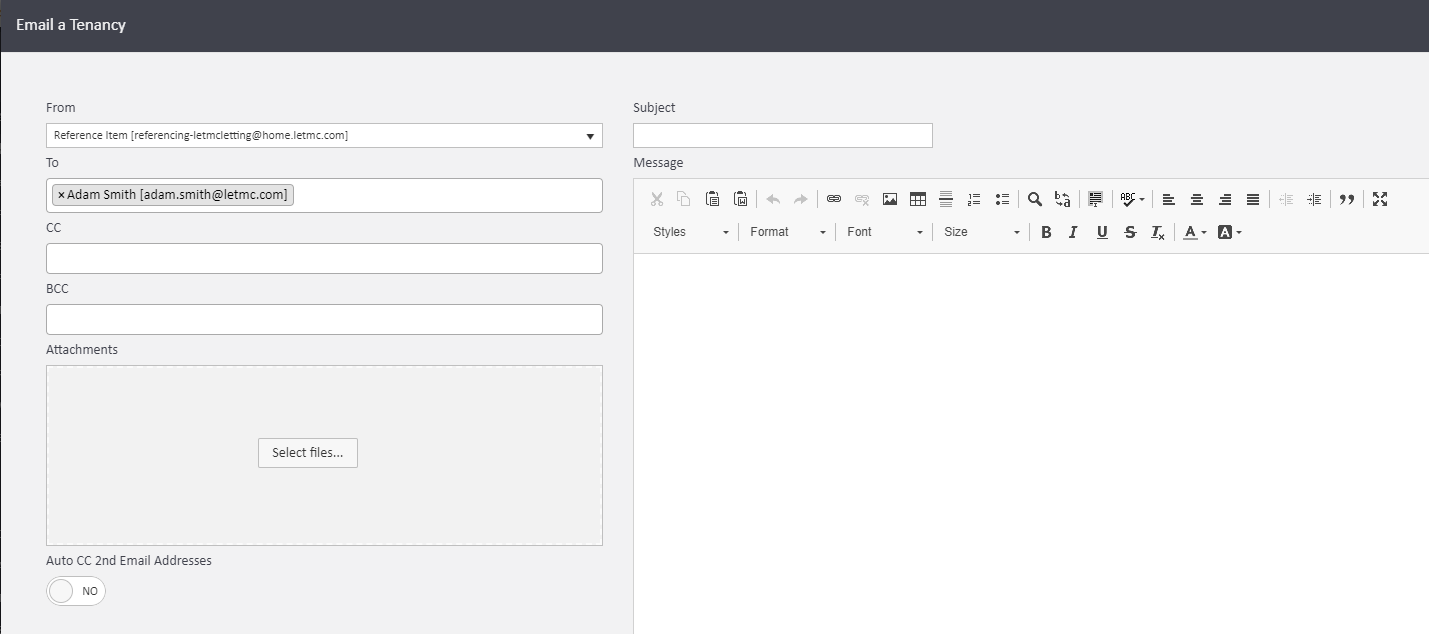
The window that pops up will automatically generate the email addresses of the tenants into the To field, and then at this point you have the option to add any additional people you would like to also send the email to (for example: landlord, guarantor etc).
You can add the subject here and the body of the email as well as attaching any documents you may wish to send out also.
Once you have completed the email you will just need to select Email a Tenancy in the bottom right hand corner.
Comments
0 comments
Article is closed for comments.