
A facility type is what appears as a bulleted highlighted item on your feeds. They are applied against the property page, to the left hand ladder. However you must first have the Facility added to your Object Types in order for them to appear as an option in the drop down.
Add a facility to the system
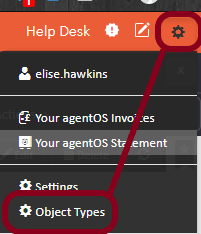
To add the facility type onto the system first, please go to the Control panel (little person icon in the top right) > Object Types > Facility Types
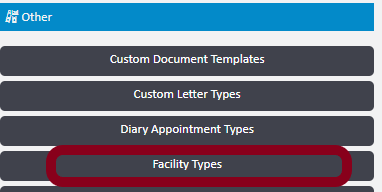
Type the name of the facility type into the field and then click "Add"

Add a facility to the property
To add the Facility Type against the property itself, please bring up the property and click "Facilities" to the left hand ladder.
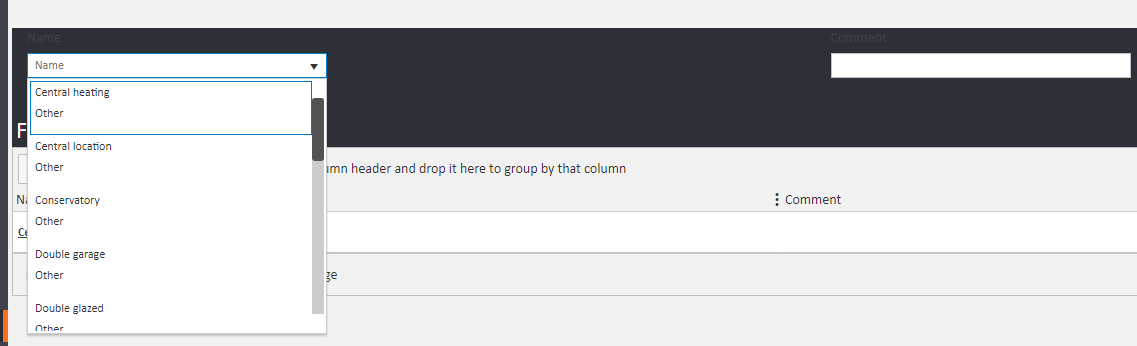
Now click the drop down arrow to collapse your options > select one > click Add button under the box.
To Remove a Facility Type from a property
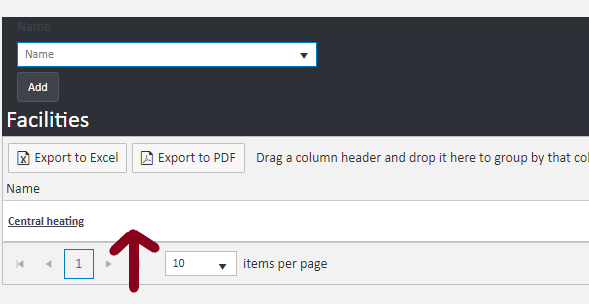
Please go to the Facilities against the property page > click onto the line next to the facility type and not the boxed facility - for example, where the red arrow is:
It will open up the Facility details and you can delete it from here in the top right:

Comments
0 comments
Please sign in to leave a comment.