
Removing Tenant Fees
Firstly you will need to locate the file that you need to edit.
Click into Office > System Letter Templates

Once you have opened the System Letter Templates tab you will see a filter at the top called Letter Type, within the drop down find Tenancy Agreement Letter > Refresh, this will then display all of the Tenancy Agreements that you have on your system.
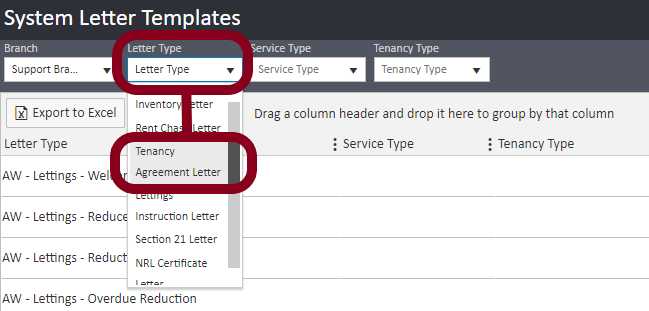
You will be able to tell if your Tenancy Agreement is Docx if you can see the Output Type is set to Editable Docx, if this is not displayed then please do not attempt to change the document - our Documentation Team will need to remove the fees for you. Please email support@agentos.com for any changes and your ticket will be assigned to a member of the Documentation Team.
Click the Actions button along the line of the agreement you want to edit > Download Template File.
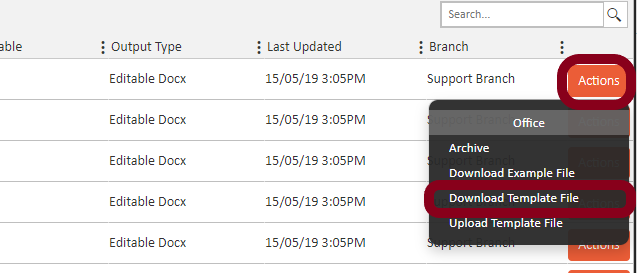
Once you have clicked this it will download your tenancy agreement to the place you have specified for your downloads.
Open the document using Word and if you know the section where your fees are, remove these, alternatively you can use the search and find feature within Word (Ctrl + F) or click the small Find button situated at the top of word.
Once you have made your changes, click File > Save and save the changes you have made.
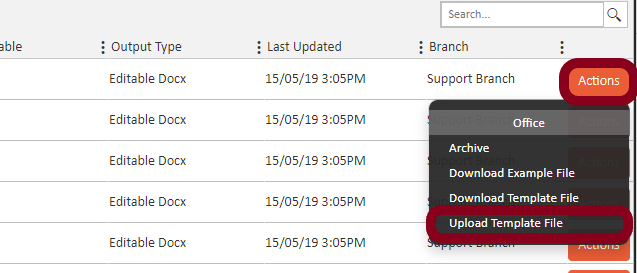
To re-upload the document, you will need to click the same Actions button that you used to download the template file, but this time click Upload Template File
A new window will then open and you can either drag and drop the file or search for the file by clicking Search files…
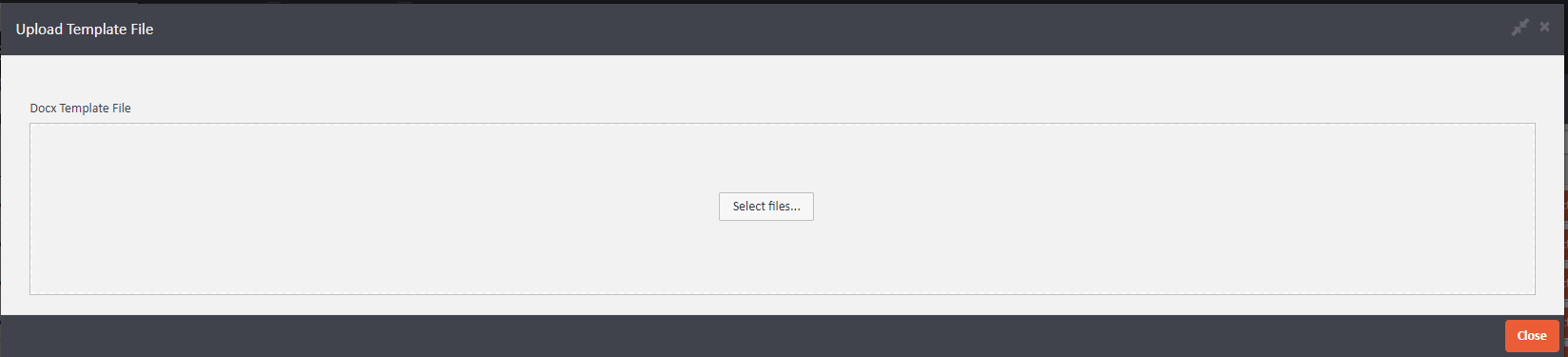
Once you have uploaded the document, click 'Close' and this will now be updated for you.
Comments
0 comments
Article is closed for comments.