

Features
Quick Add Lettings Properties & Sales Instructions
New actions have been added to allow the quick creation of lettings properties and their component parts and sales instructions. The actions can be found under
- 'Lettings' > 'Tenancies' > 'Quick Add Tenancy'
- 'Sales' > 'Sale Instructions' > 'Quick Add Sales Instruction'
As well as being able to type in all required info, you can also import property information from Rightmove to be edited before creating the new tenancy/sales instruction. The 'Rightmove Import' used here is a stripped back version of the tool that can be found on the main 'Lettings' and 'Sales' tabs.
Upon confirming the import, the newly created property is opened in a new tab. As this is a quick add, you are unable to import photos or certificates, these must be added after creating the property.
The photos below are for adding a lettings property. The sales instruction import is similar, with the main difference being the amount of information required being far less.
- Create or choose an Area to link the property to.
- Or, import property details from Rightmove and edit these before creating the property.
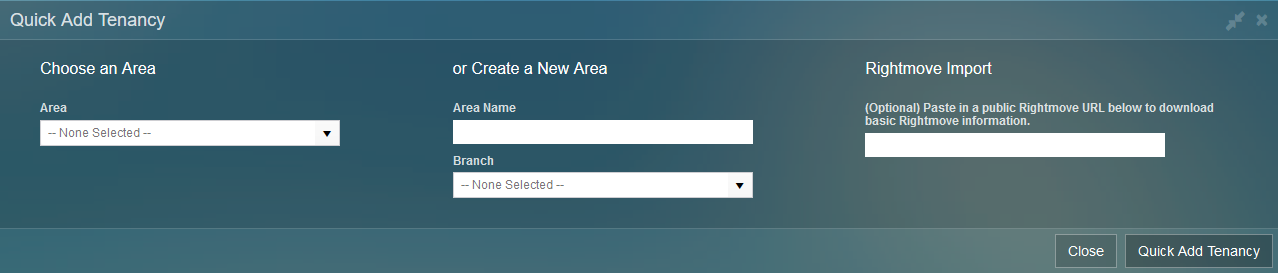
Quick Add Tenancy
- Enter all necessary property details, 'Address 1' and 'Postcode' are required as a minimum.
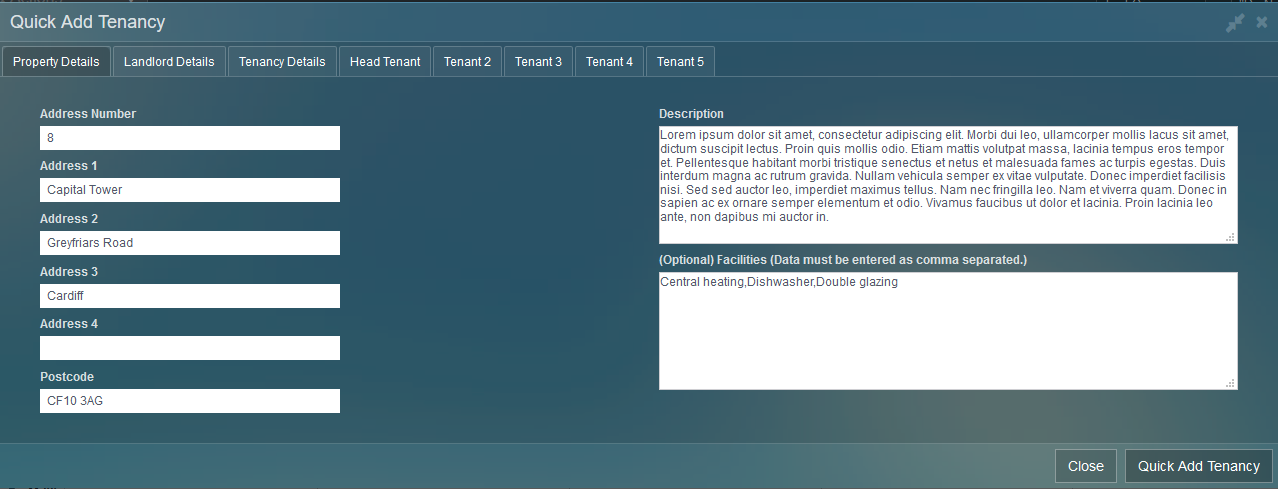
Property Details
- Enter the Landlord's details either by linking to an existing landlord or creating a new one.
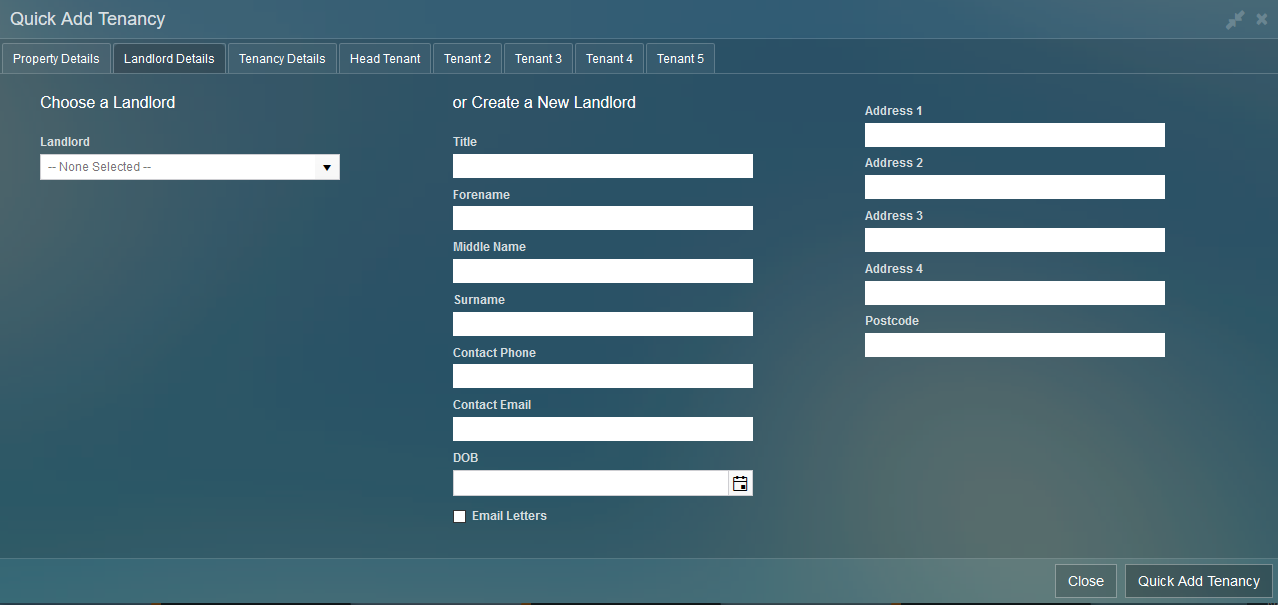
Landlord Details
- Enter the tenancy details.
- Choose the appropriate service type.
- You can import a tenancy at either the 'Advertised', 'Let Agreed' or 'Signed' stage.

Tenancy Details
- If importing a 'Signed' tenancy, you must also import tenants.
- You can enter up to 5 tenants.
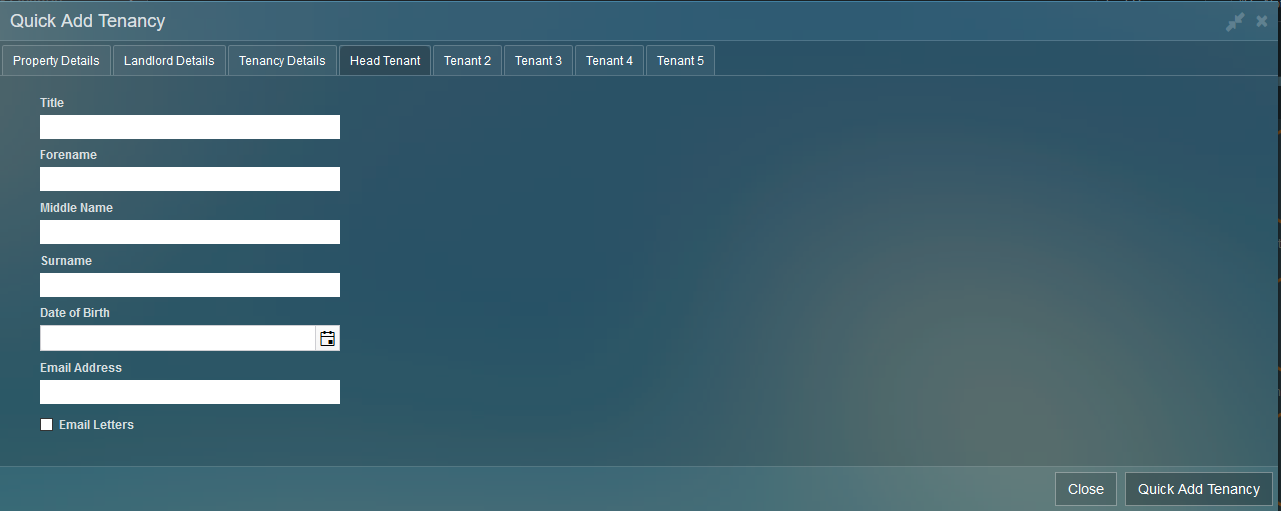
Tenant Details
Improvements
Improved Diary
- The diary has had an overhaul and now more closely resembles other online calendars.
- Each user is listed in a list on the left, categorised by branch.
- The diary will remember your selection and display the same calendar next time you log into the system.
- Each user is assigned a colour at random.
- Export the current view by using the 'Export to PDF'.
- 'Print Staff Appointments' is still available if you want a more detailed printout.
- As well as updating the diary, the 'Diary Allocations' view has also been updated.
- There are eight colours used on rotation.
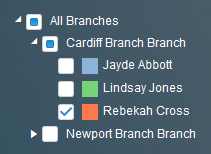
User picker, which will dynamically change in size when rows are expanded/collapsed.
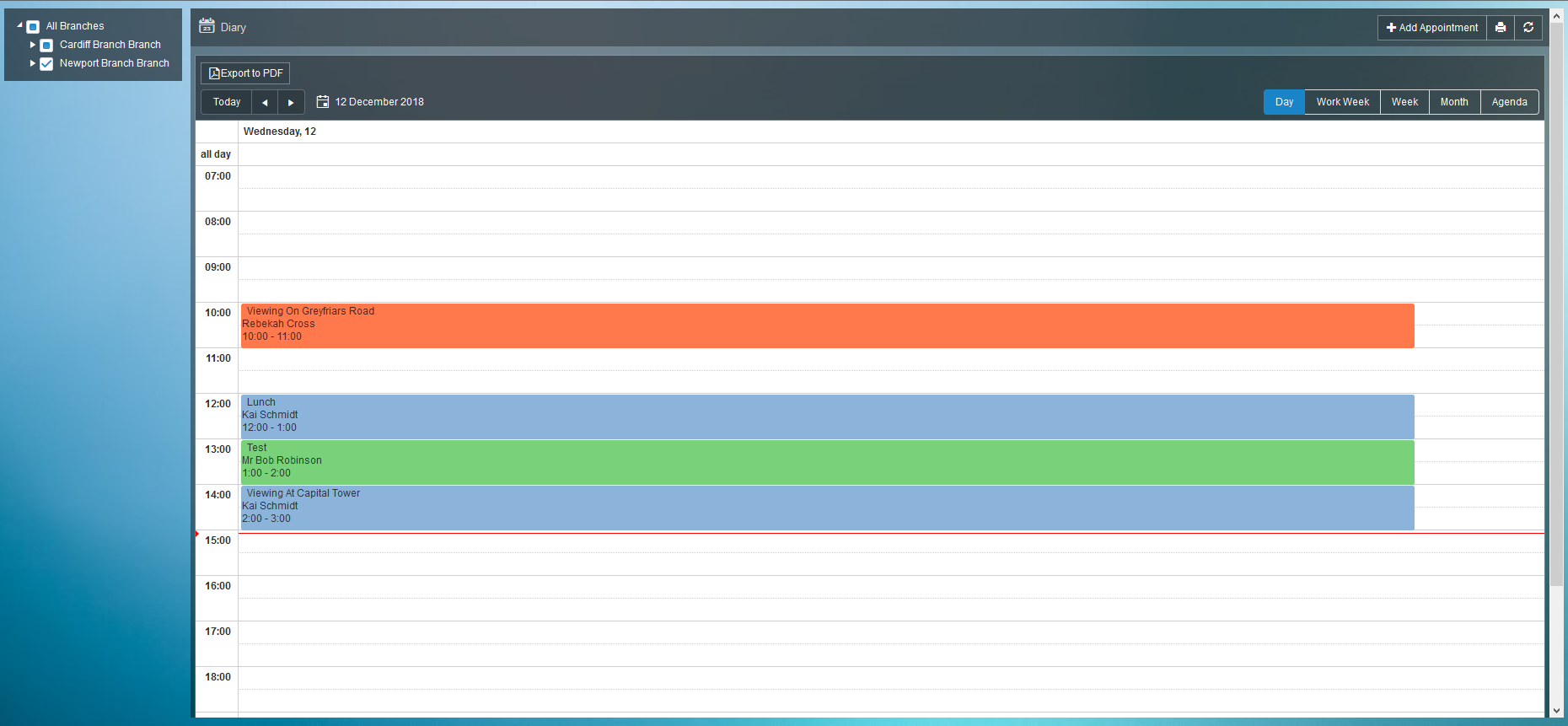
Day view of diary with three users selected, each with a unique colour.
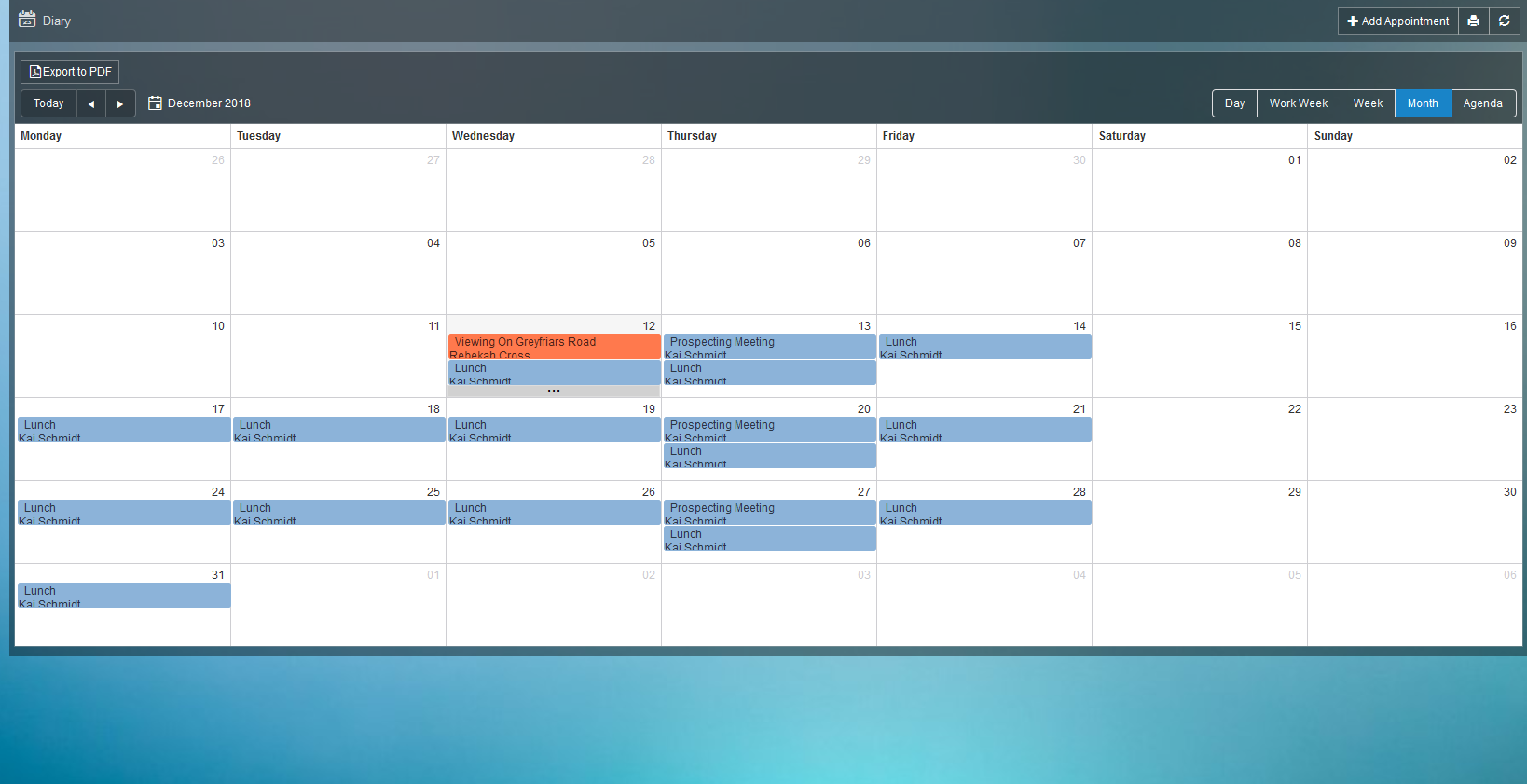
Month view of the diary with recurring appointments for 'Lunch' and 'Prospecting Meeting'.
Email Templates for Online Logins
- A customisable email template for each person type (Tenant, Landlord, Contractor etc...) has been created.
- The template is used when enabling an online account or sending a password reset email.
- The content of the template is the same for all person types by default.
Default Progression Items
- The default progression items on new Lettings Service Types has been updated, with fewer defaults added.
| Apply After | Task Description | Enabled | Optional | Must Comment | Must Upload Documents |
| New | Upload gas safety and import EPC | TRUE | TRUE | TRUE | FALSE |
| Advertised | Instruct board company (To Let) | TRUE | TRUE | FALSE | FALSE |
| Proposed | Right to rent status confirmed & ID uploaded | TRUE | TRUE | FALSE | FALSE |
| Proposed | Referencing passed | TRUE | TRUE | FALSE | FALSE |
| Proposed | Contract signed and returned | TRUE | TRUE | FALSE | FALSE |
| Proposed | Prescribed information signed and returned | TRUE | TRUE | FALSE | FALSE |
| Signed | Opening inventory booked | TRUE | TRUE | FALSE | FALSE |
| Signed | Property remarketed | TRUE | TRUE | FALSE | FALSE |
| Ended | Confirm closing inventory complete | TRUE | TRUE | FALSE | FALSE |
| Ended | Deposit returned | TRUE | TRUE | FALSE | FALSE |
Running Total on Grids
- For grids with selectable items ('Create an Invoice') and a 'Total Credit' and 'Total Debit' field at the bottom, the 'Total Selected' will now be calculated.
- Ticking and un-ticking items in the grid will immediately update the 'Total Selected' field.
Outstanding Rent Filter on Rent Chase
- A new filter has been added to Rent Chase to allow you to filter out tenants who do not owe rent.
- Disabled by default.
- When enabled, only tenants with a positive balance on their 'Outstanding Rent' account will display (Which means that they owe rent).
- A new column has been added to the Rent Chase grid that displays the amount of 'Outstanding Rent'.
- This figure will differ to the 'Balance' amount if the tenant also owes money for the deposit or any additional fees.
Delete Tenancy Applications
- Tenancy applications are now deletable from the In-Tray.
Maintenance Deduction Descriptions
- A tick box has been added to maintenance deductions which will append the name of the Contractor to the description.
Metro Bank Template
- A new bank statement template for 'Metro Bank' has been added.
- Fields used:
- Date
- Reference
- Money In
- Money Out
- Example statement attached.
Delete Service Type Auto Charge
- Added a delete action to auto charges on a service type.
- This action deletes the auto charge from the service type.
- Tenancy specific auto charges remain unaffected.
Adjust Payment Groups
- Added an action to allow for the adjustment of all payment types
- Cheque
- Cash
- Online
- BACS
Bugs/Defects
- Include In Agreement
- Fixed a defect where PDF's uploaded to 'Print/Post/Store Documents' on a tenancy and marked for 'Include in Agreement Print' were not included in the agreement when sent to the postbag.
- There is a 1mb file size limit on PDF's to be included in the agreement. If the file size exceeds this, the PDF will not be included.
- To ensure that the PDF is marked as not to be included in the next agreement, you must authorise the letter in the postbag. Without authorising the letter, the PDF will be included in all future agreements sent to the postbag.
- Tenancy Deposit Notes: Tenant Picker
- Fixed a defect where tenants from other tenancies were returned.
- Only tenants linked to the tenancy are now returned.
- Sales Fee Percentage or Fixed Amount
- Fixed a defect where entering an amount in both fields results in an error.
- A validation check has been added to ensure that only one of the above fields on a Sales Instruction has been completed.
- Both can be left empty.
- Advertised Rent Amount Limit
- The upper limit on 'Advertised Rent' has been increased.
- Adjust Direct Debits
- Missing functionality from Classic.
- You can now adjust any direct debits under 'Call Direct Debits'
- Renewal Property Address
- Fixed a defect where the tenancy address wasn't used in the tenancy agreement for renewals.
- Rent Chase Address
- Replaced the 'Address' field on 'Rent Chase' with a clickable property address, which is the tenancy property.
- The field was replaced as the 'Address' field wouldn't always display the tenancy property.
- Rent Chase Export
- Added the following fields to the 'Rent Chase' export:
- Mobile Phone
- Email Address
- Address ('Pre-Tenancy Address' if the tenancy has ended)
- Added the following fields to the 'Rent Chase' export:
- NRL Annual Return
- Fixed a defect which affected a small number of users where the 'NRL Annual Return' report wouldn't run.
- Invoiced Sales Live and Monthly
- Fixed a defect which affected a small number of users where the 'Invoiced Sales Live' and 'Invoiced Sales (Saved Monthly)' reports wouldn't run.
- Grid Item Limit
- Increased the item limit on all grids across the system.
- Paper Margins & Whistl
- Fixed a defect where the mandatory Whistl (When Whistl is active) paper margins were added to documents produced by the system that don't go through the postbag (Eg. 'Property Brochure').
- Rent Schedule Validation Errors
- Fixed a defect on adding a rent schedule caused by having a rent period that ended on the Fixed Date.
- On adding a rent schedule with a rent period that ended on a fixed date, a validation error would be thrown.
Comments
0 comments
Article is closed for comments.